Universal client
Runtime-agnostic flag evaluation, audience rules, and sticky hashing. Works in Node, Deno, Bun, Cloudflare Workers, and the browser.
Start with the tech, not the pitch. TypeScript everywhere. SCSS in the variation builder. CLI for local dev. Chrome extension for live preview. SDKs for every framework and runtime, with Python, Go, and more on demand.
~19 KB gzipped from 60,457 bytes minified. Zero dependencies. Anti-flicker hides the page until variations apply, so users never see the control flash. By default it auto-inits the moment it loads. Drop the script in your <head> and skip the window.avsb.init() boilerplate. Turn on consent mode and it holds activation and events behind your CMP instead: call window.avsb.init() once consent is granted, and the queued events flush on opt-in.
1<!-- In your <head>, as high as possible -->2<script src="//cdn.avsb.cloud/snippet.js" data-avsb="YOUR_SNIPPET_KEY"></script>3
4<!-- Track a conversion anywhere in your app -->5<script>6 window.avsb.track.event('purchase', { revenue: 49 })7</script>The variation builder ships Monaco with TypeScript definitions for every window.avsb.* helper: autocomplete, inline docs, type errors in the editor before you ship. SCSS compiles in-browser through Dart Sass. Nest selectors, use variables, and scope styles to a single variant without touching a bundler.
1// variant.ts: runs for visitors bucketed into Variant B2function initVariation(options) {3  const btn = document.querySelector<HTMLButtonElement>('.checkout-cta')4  if (!btn) return5
6  btn.textContent = 'Claim 30% discount'7  btn.classList.add('avsb-variant-b')8
9  options.track.event('purchase', { revenue: 49 })10
11 // Self-cleaning: undone automatically on removal / SPA navigation12 options.onRemove(() => btn.classList.remove('avsb-variant-b'))13}Runtime-agnostic flag evaluation, audience rules, and sticky hashing. Works in Node, Deno, Bun, Cloudflare Workers, and the browser.
Express and Fastify middleware. RedisStickyBucketService for shared bucketing across a fleet. createStreamingClient opens an SSE channel so changes hit your servers in milliseconds.
Wrap your tree in AvsBProvider. Read flags with useFlag, inspect evaluation detail with useFlagDetails, and fire exposures with useTrack.
1import { AvsBClient } from '@avsbhq/js'2
3const avsb = new AvsBClient({ sdkKey })4const value = await avsb.evaluateFlag('new-checkout', false, ctx)
Same client, same types, for every framework and runtime:
@avsbhq/next@avsbhq/vue@avsbhq/svelte@avsbhq/solid@avsbhq/angular@avsbhq/react-native@avsbhq/browser@avsbhq/edgeAvailable on demand, built in the repo, ready to publish:
Clone a project, edit variations in the editor you already have open, preview them through the browser extension, and push when the diff reads clean. The CLI wraps the same APIs the platform UI uses. Nothing special, nothing hidden.
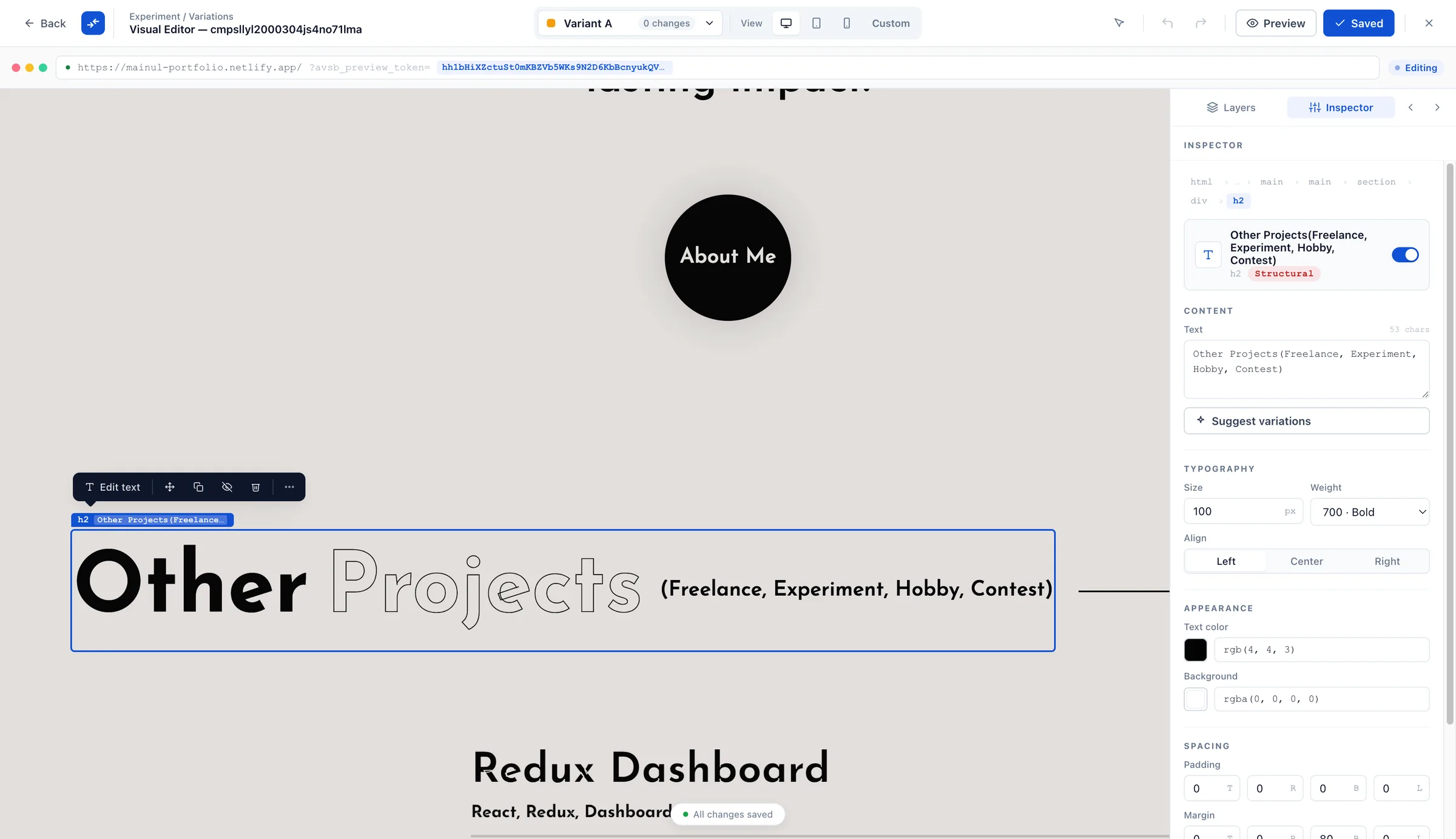
1npm i -g @avsbhq/cli2avsb login3avsb clone <projectId>4avsb dev # hot-reloads through the browser extension5avsb pushAvsB Dev Tools turns any page you can open into a workbench for A/B tests. Built for Chrome (Manifest V3). The point-and-click visual editorlaunches from your dashboard’s experiment builder and mounts on top of your live page: six change types (text, style, visibility, image, reorder, insert), a right-hand inspector, a Changes panel with before/after diffs, and an accessibility audit powered by axe-core. Switch to tablet or mobile for an honest device preview where media queries actually fire.
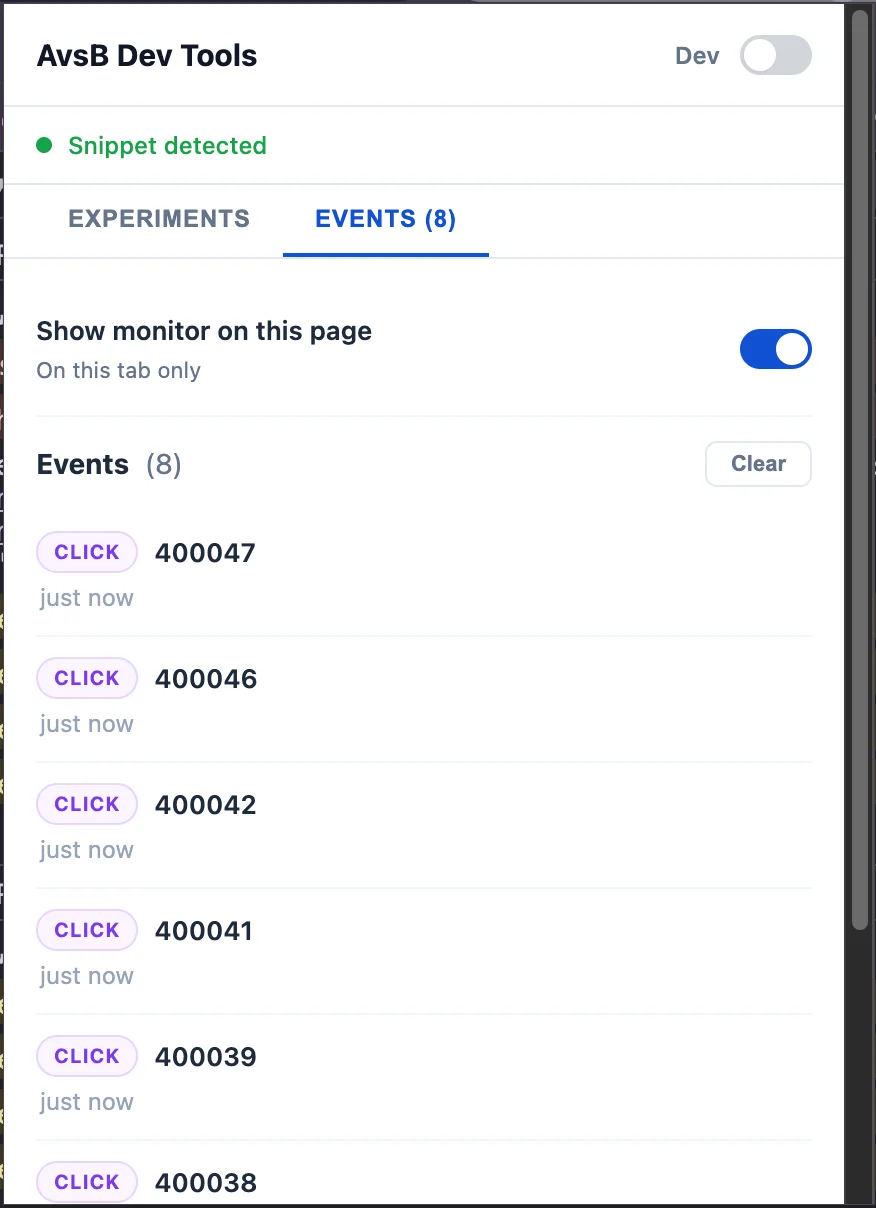
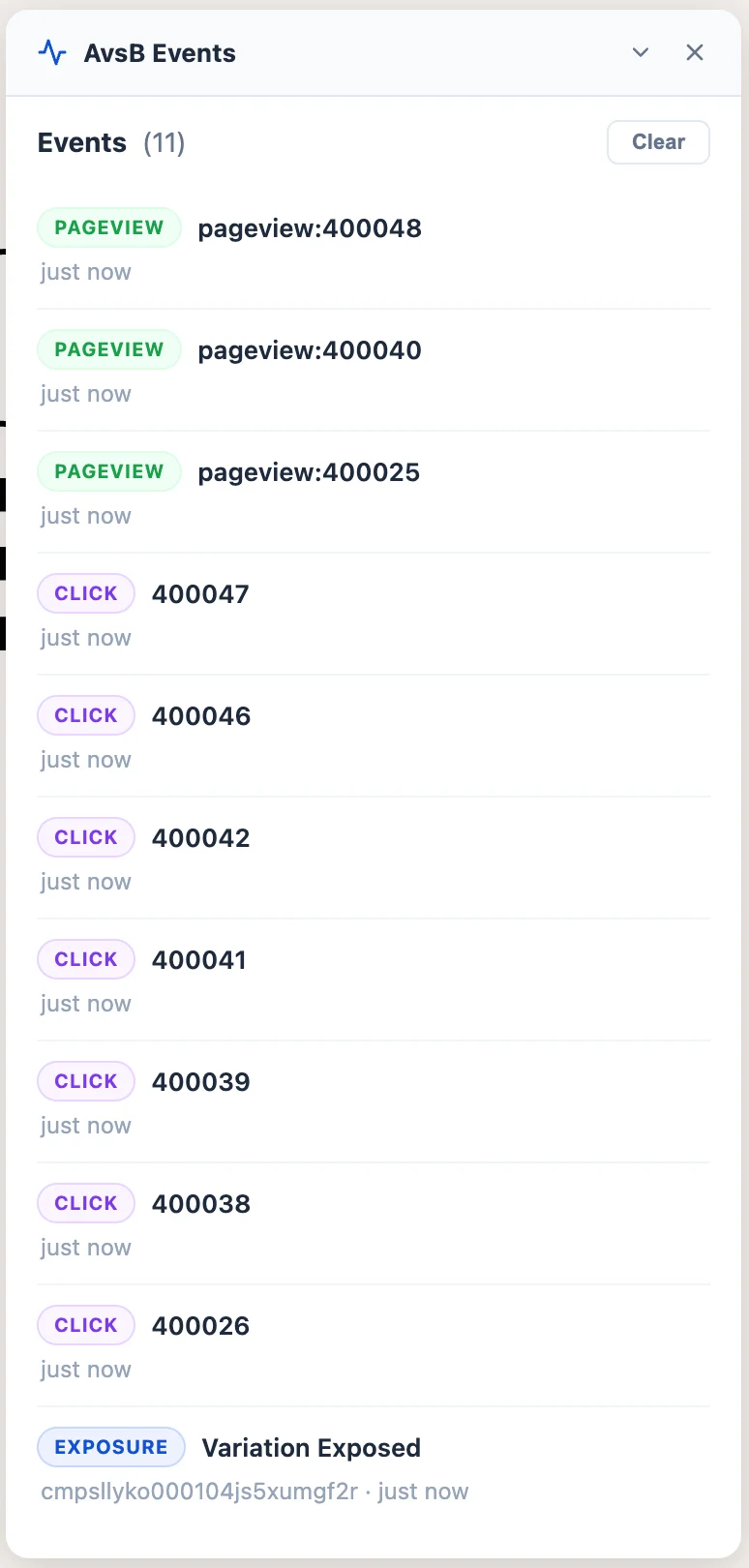
The live event debugger works on any site with the snippet installed. No account needed. It tells you whether the snippet is present, lists every active experiment it detects, shows the variation each visitor would see, and streams exposures, clicks, pageviews, and custom goals as they fire. Per-tab dev mode keeps your preview isolated, and avsb dev hot-reloads your local variations straight into the page.
A vs B ships both Bayesian and Frequentist engines with fully documented assumptions, priors, and stopping rules. The methodology pages explain exactly how probability-to-beat-control is computed, when SRM fires, and how credible intervals differ from confidence intervals in practice. Written for the stats person on your team who will ask.
Every SDK, the CLI, the extension: free on Starter.